
Description Tips:
I’ll Tell You How to Use It for a Long Time Tips,
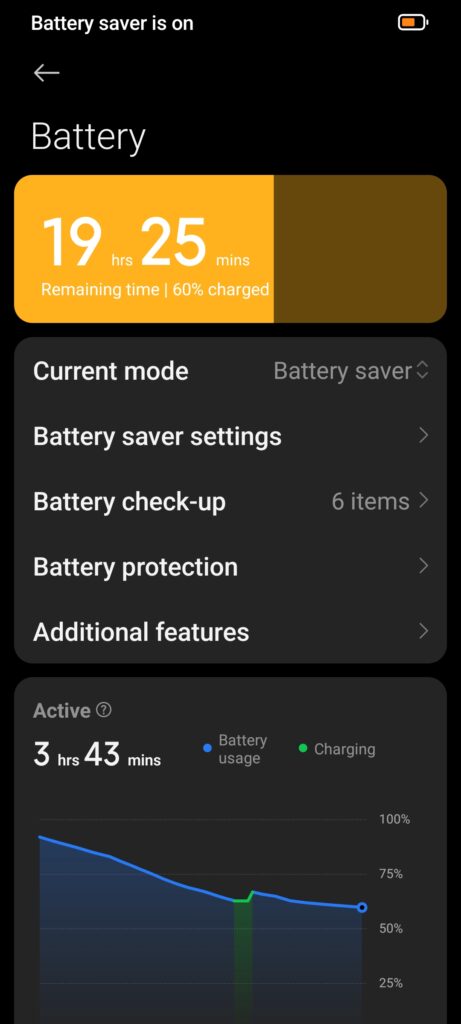
Does your Android phone’s battery drain quickly? When your phone is used for gaming, social media, and work, the battery drains quickly. In this guide, I’m going to tell you about the best ways to increase Android battery life in Tamil.
Keywords:
Methods to increase android battery life, Android battery save tips, Battery optimization, Battery saver mode.
Methods to increase Android battery life
1. Reduce Screen Brightness and Screen Timeout
The display eats up your Android battery the most.
Reduce screen brightness and enable adaptive brightness.
Reduce screen timeout to 30–60 seconds.
Best Practice: You can also save battery by enabling Dark Mode on Android with AMOLED screens.
Android battery save tips idhu
2. Control Background Apps and Processes
Apps running in the background can also drain battery.
Go to Settings → Battery → Background Usage and restrict unnecessary apps.
Force Stop apps that consume a lot of battery.
When multi-tasking, close apps that are not in use.
Battery optimization
3. Make better use of connectivity
Features like Wi-Fi, Bluetooth, GPS, Mobile Data are always on, which drains the battery.
Turn off Wi-Fi, Bluetooth, GPS when not needed.
Enable Battery Saver Mode to automatically reduce background connectivity.
Restrict Mobile Data to low usage apps.
There is a battery saver mode in Settings.
4. Optimize Apps and System
Update apps and Android OS to improve performance and save battery.
Update apps regularly through Google Play Store.
Uninstall rarely used apps.
Clearing app cache will release memory and make it more battery-efficient.
5. Use Battery Saver and Adaptive Battery
Android phones have built-in battery optimization tools.
Battery Saver: Reduces background activity and adjusts performance.
Adaptive Battery: Restricts apps that are not used much through AI.
To activate: Settings → Battery → Battery Saver / Adaptive Battery
6. Reduce High Power Consumption Apps
Heavy games, video editing apps, social media apps prolonged use drain battery.
You can install Lite version apps from Play Store (ex: Facebook Lite, Messenger Lite). This will reduce storage kooda.
Turn off background download/update activity.
7. Control Live Wallpapers & Widgets
Live wallpapers drain battery quickly.
Having too many widgets on the home screen will also increase CPU usage.
Use gallery wallpapers and minimal widgets.
8. Improve Charging Habits
Overnight charging degrades the battery. So don’t do it.
Use original charger.
Charging the battery between 20–80% will increase the lifespan
9. Regular Restart and Software Update
Restarting the phone occasionally refreshes the memory and makes it battery-efficient.
You should install Android updates and security patches, which will help improve performance speed and battery optimization.
10. Additional Small Tips
Uninstall Bluetooth auto-connect apps.
Enable location services only for required apps.
Manage notifications to avoid unnecessary wake-ups.
Check battery health: Settings → Battery → Battery Health.
FAQ: About Android Battery Life
Q1. How to save Android battery?
A1. Enable Battery Saver, reduce brightness, and restrict background apps.
Q2. Do charging habits impact battery life?
A2. Yes. Charging in the 20–70% range improves battery health.
Q3. Can you see a difference if you turn off Wi-Fi, Bluetooth, and GPS?
A3. Yes, idle time will reduce battery usage.
Q4. Which is best for AMOLED screens?
A4. Enabling Dark Mode will reduce energy on the display.
Conclusion
If you follow these tips, your Android phone battery life will be sustained for a long time and daily usage will be comfortable.